What a Code Instance Is and Why Program Runs Should Be Kept Like Code
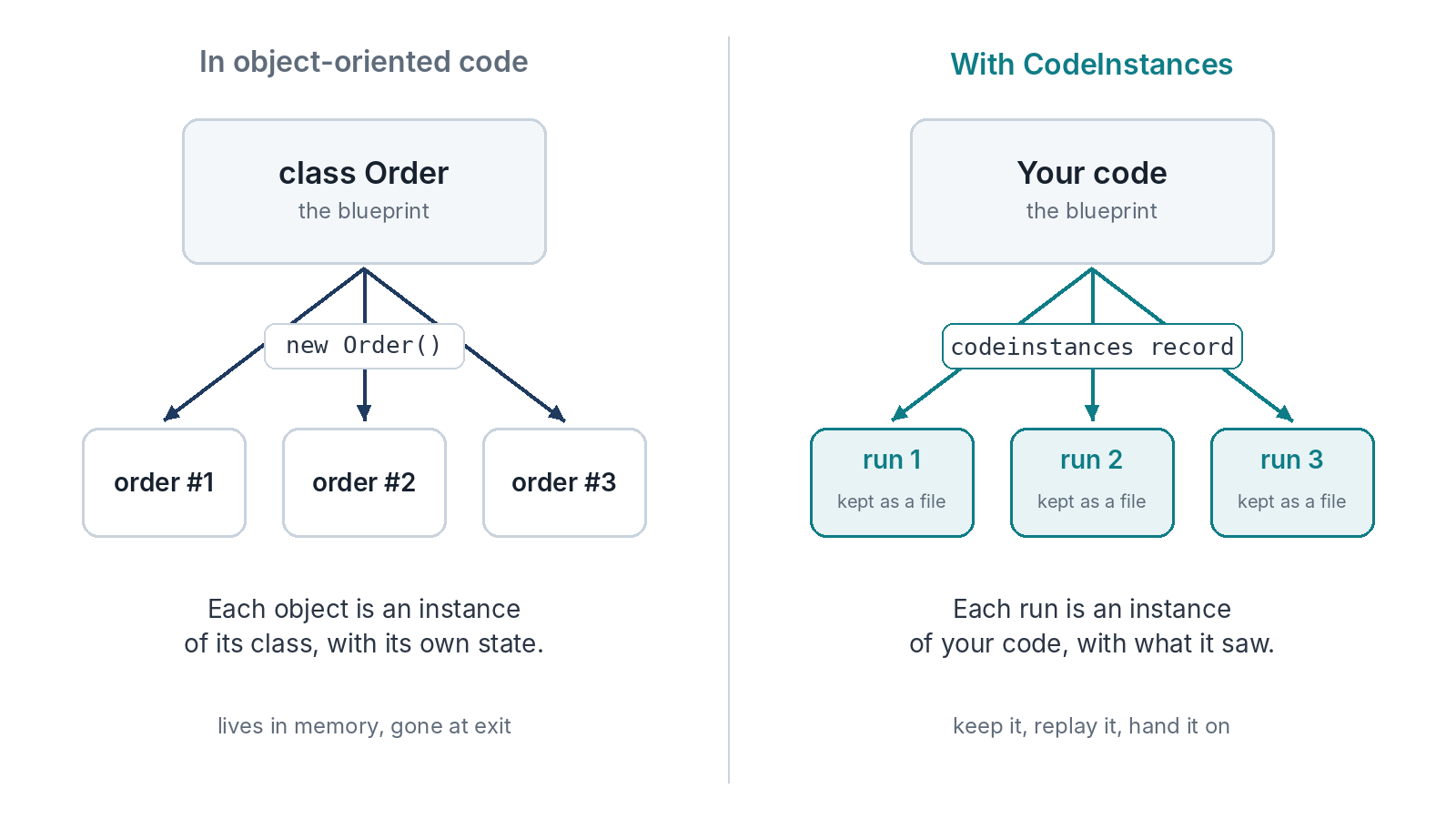
If you’ve written object-oriented code, you already know the idea. A class is a blueprint. Each object you make from it is an instance of that class, with its own state. One Order class, thousands of orders.
Your program works the same way. The code is the blueprint, and every time it runs, that run is an instance of it. Same code, different day, different answers from the servers it talks to, different clock, different random numbers. Each run is its own thing.
The difference is what happens to them. An object lives in memory until the program exits. A run leaves even less: a few log lines if you’re lucky. CodeInstances keeps the run as a file, so it can be looked at, replayed and passed around after the program is gone.
Git Did This for Code
Before version control was normal, code was something on one person’s disk. You couldn’t easily see what it looked like last week, compare two versions, or send someone exactly the state you had. Git made code a thing you keep and share. Every change has an id. You can diff, branch, bisect and hand a commit to anyone.
Runs are still where code was before that. When a run goes wrong, people describe it in words, paste a stack trace and try to rebuild the conditions by hand. Half the time they can’t, and the bug report ends with “can’t reproduce”.
A code instance is the run as a file. It holds what was run, what it printed, how it ended, every HTTP request it made with the answer it got, and, for Go programs, every clock and random value it asked for. With those, the run can happen again exactly, on another machine, with the servers long gone.
What Replay Means
Replay runs the program again and answers every network request from the file. The program can’t tell the difference. It gets the same answers in the same shape, so if the code hasn’t changed, it should print the same output and exit the same way. CodeInstances checks that, and either says “replay matched” or lists what was different.
That gives you some handy things straight away. A failure you recorded once can be replayed as often as you like, with the network off. A fixed build can be replayed against the failing run, to prove the fix on the real case. A colleague can replay your run without your accounts, your test data or your network.
Things You Can Do to an Instance
Once a run is an object, it makes sense to ask what else you can do to it, the way Git gave code a set of verbs.
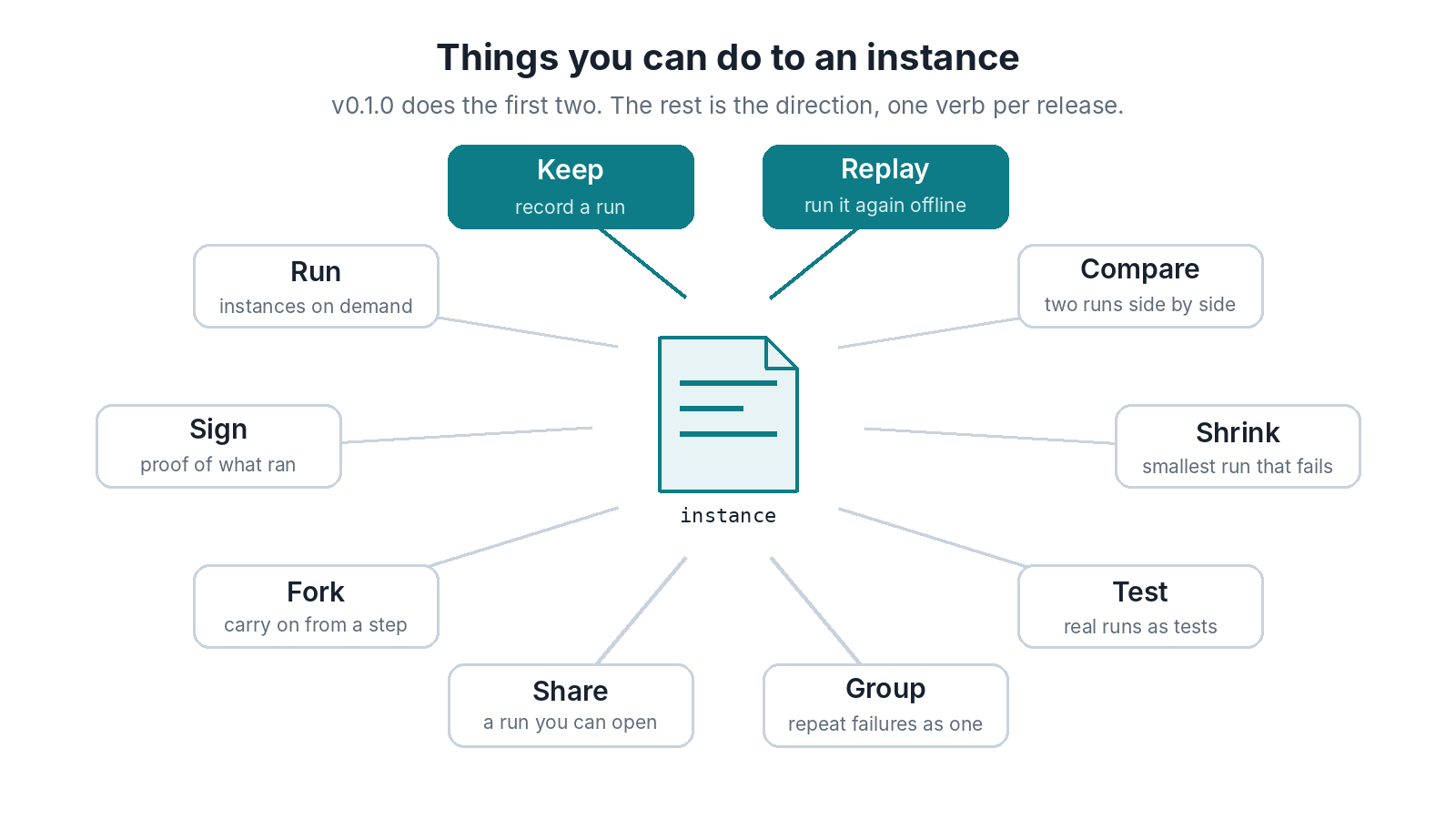
v0.1.0 does the first two, keep and replay. The rest are the direction the project is heading, one per release, each shipped when it works:
- Compare two runs, a passing one against a failing one, and see where they part.
- Shrink a failing run to the smallest one that still fails, so the bug is easy to read.
- Turn real runs into regression tests, so a bug that happened once stays fixed.
- Group failing runs that share a cause, so a thousand repeats show up as one bug.
- Share a runnable instance like a link, as a bug report anyone can open.
- Fork a run at a step and carry on from there with something changed.
- Sign an instance as proof of what ran. That matters more as AI agents act on their own. The EU AI Act, for one, asks high-risk AI systems to log events automatically over their lifetime.
- Run instances on demand, later and maybe.
None of these needs the file to change shape much. That’s why the format came first.
Who It’s For
Anyone who has lost a bug to a rerun. Teams with flaky tests. People who integrate with APIs they don’t control. People building AI agents, whose programs take a different path on every run, so a kept run is the only reliable record of what one actually did. Why replay matters for AI agents goes into that.
The quick start takes a couple of minutes.