How a Bug Report Can Arrive as a Runnable CodeInstances File
You maintain a command-line tool that talks to an online service. An issue comes in: “sync breaks against our account”. You don’t have their account. You can’t see their data. You ask for logs, then a bigger log, then a screen share, and after a week of back and forth you still haven’t seen the failure happen.
The reporter could send the failure itself. If they run your tool under CodeInstances, the run is kept as a file with every request your tool made and every answer their account gave back:
codeinstances record -o sync-bug.instance -- mytool sync --all
They attach sync-bug.instance to the issue. That’s the bug report.
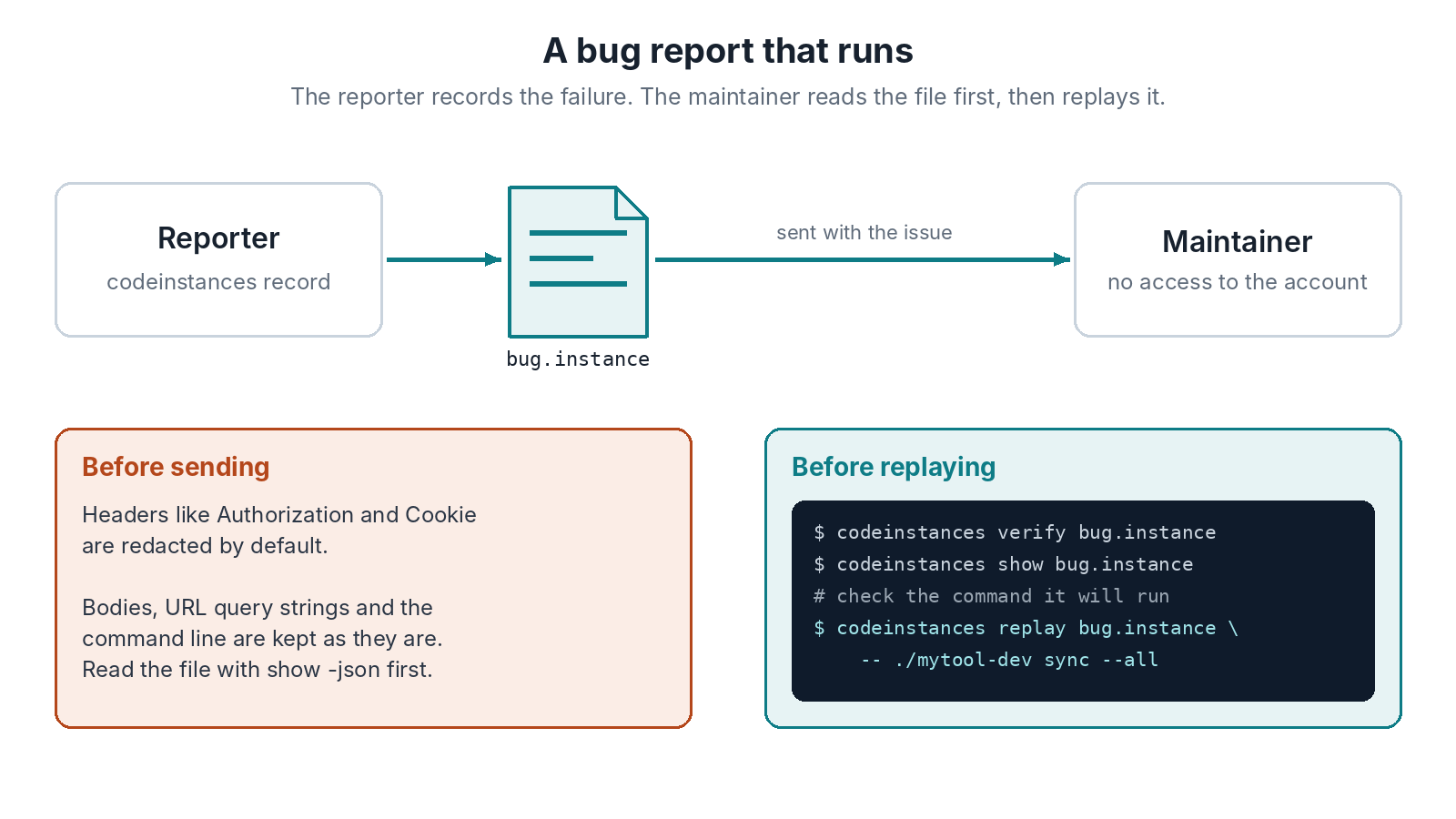
Read It Before You Run It
Replay runs the command stored in the file. A file from someone else is like a script from someone else, so look before you run it:
codeinstances verify sync-bug.instance
codeinstances show sync-bug.instance
verify checks the file hasn’t been edited since it was recorded. show prints the command it will run and every call, with method, URL, status and size. If the command is what you expect, replay it. Better still, give your own command after --, so replay runs your build and not whatever the file names:
codeinstances replay sync-bug.instance -- ./mytool-dev sync --all
Your development build now gets their account’s answers, offline. You see the failure on your machine, in your debugger, and when you’ve fixed it you replay the same file again to check. The file can also go into your test fixtures, with the reporter’s permission, so that case stays fixed.
Secrets Are the Reporter’s Job
By default the values of Authorization, Cookie, Set-Cookie and the common API key headers are replaced with [redacted], so tokens sent in headers don’t leave the reporter’s machine. That’s all that’s redacted in v0.1.0. Request and response bodies, URL query strings (an api_key= parameter, say) and the command line are kept as they are, and a body can easily hold a customer’s data.
So ask reporters to read the file before they send it (show -json prints the whole thing). Hand edits don’t work: any change to a value breaks the id, and a file whose id doesn’t match is refused, by replay as well as verify. If something private is in it, the fix is to record again against test data or a test account that still shows the bug. One more thing to know: replay hands your program the redacted values, so if your tool prints a cookie it was sent, that line will differ on replay. -ignore-stderr helps when the noise is only on stderr.