How to Develop Against a Metered or Rate Limited API With CodeInstances
Some APIs you can’t call as often as you’d like. A payments sandbox that throttles you after a burst. A maps or weather API billed per request. A partner’s staging server that falls over every afternoon. You’re working on the part of your program that handles the answers (the formatting, the error messages, the retry logic), and each try means another call you’d rather not make.
Record the program once against the real API, and work against the recording for the rest of the day:
codeinstances record -o forecast.instance -- python3 forecast.py --city Lisbon --days 5
That run makes the real calls and keeps them. From then on, each try is a replay:
codeinstances replay forecast.instance
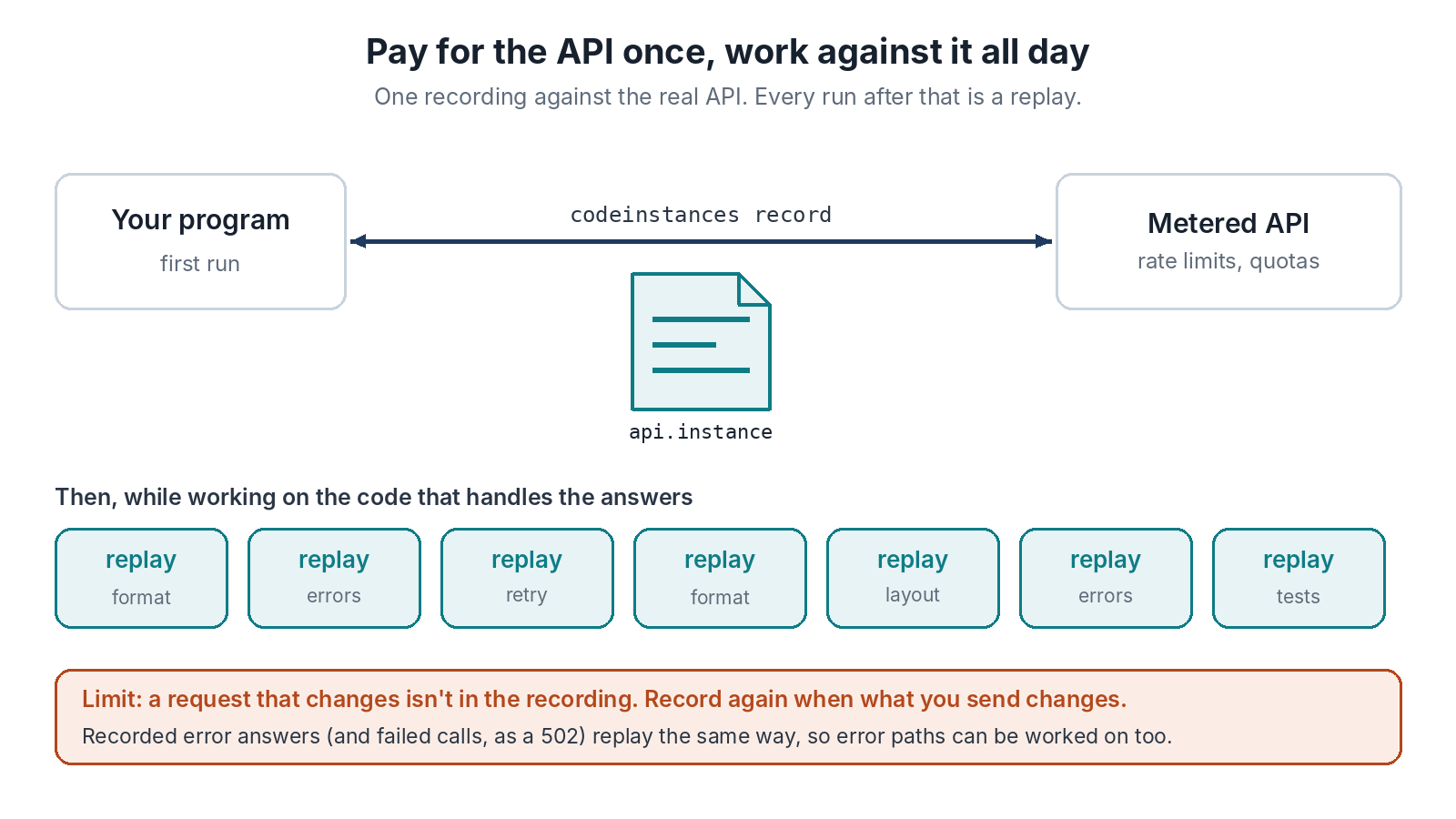
Your program gets the same answers it got from the API, without a single call going out, so the rate limit, the bill and the afternoon outage stop mattering. Change how the output is laid out, replay, look at it, change it again. The replay report will say the output differs from the recording, which is expected here, since changing the output is the work. What you’re checking is that the requests still match: the report lists any request that isn’t in the recording, and any recorded one that was never made.
Error Paths Too
The answers you need most are often the bad ones. If the API refused a request during recording, the 429 or 500 it sent back is in the file like any other answer and replays the same way. If the call failed outright with no answer at all, the program gets a 502 on replay, with the same body it got when it was recorded. So when the sandbox has a bad hour, record a run during it. That instance is a test case for your error handling that you can replay whenever you like, long after the sandbox is healthy again.
Where It Stops Working
Replay only answers requests it has seen. It matches each request on method, URL and body. If your change alters what the program sends (a new parameter, a different date in the query, an extra field in a POST body) that request isn’t in the recording. The program gets a 502 for it and the report lists it. So this works for changes to what you do with the answers, and stops working for changes to what you ask. When the requests change, record again.
The same rule catches a common snag: programs that put today’s date or a random id in the request. Every run sends something new, so nothing matches. In Go, take the date and the id from the hook package (hook.Now(), hook.Uint64()) and they’re recorded and replayed too. In other languages, pass the date in as an argument while you work. Streaming endpoints are buffered whole in v0.1.0, and an API key sent in the URL rather than a header stays in the file, so don’t share the file around.